Stop Accidental Quits Forever

Never Lose Work to Cmd+Q Again

Accidentally quit apps when switching keyboards?
Quit Block Mac gives you a 5-second countdown to change your mind.

Loved by 1,000+ Mac users

Quitting in

5

Hold Cmd+Q to continue...

Live preview of Quit Block Mac in action

The Problem

Sound familiar?

😱

Keyboard Layout Chaos

Switching between AZERTY and QWERTY? You go for Cmd+A but hit Cmd+Q instead. BOOM. App closed.

💥

No Warning, No Mercy

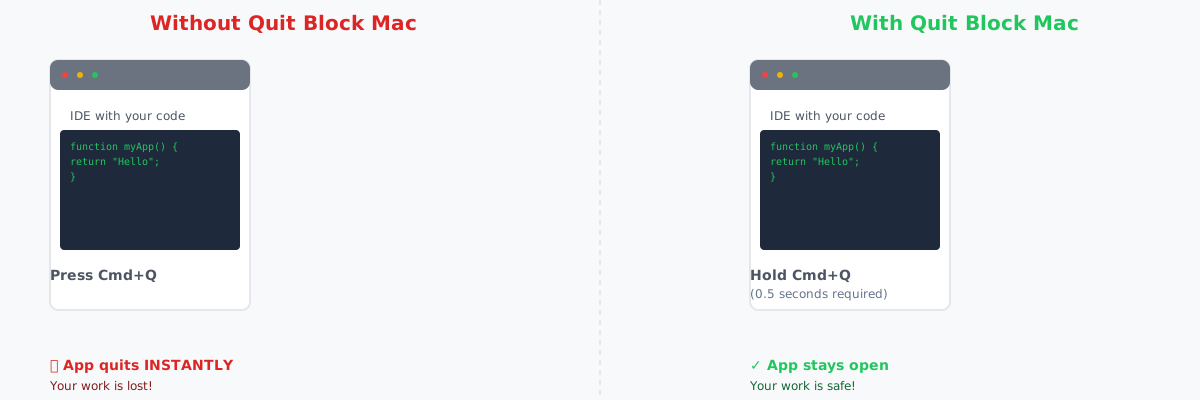
Most Mac apps quit INSTANTLY with Cmd+Q. No confirmation. No "are you sure?" Just gone.

📝

Lost Work

Unsaved documents, open tabs, work in progress... all lost because of one accidental keystroke.

😤

Muscle Memory Betrayal

Your fingers know the shortcuts, but when the keyboard layout changes, they become your enemy.

✅ Quit Block Mac solves all of this

How It Works

Simple, powerful, and non-intrusive

Q-Blocker Logo

Intercept Cmd+Q

QBM catches every Cmd+Q keystroke system-wide before it reaches the app

5-Second Countdown

Shows a big countdown (5, 4, 3, 2, 1) so you know exactly when the app will quit

Release to Cancel

Let go early? Quit cancelled instantly. No harm done. Work saved.

Powerful Features

System-wide protection for all apps
Customizable delay (1s, 2s, 3s, 5s, 10s)
Beautiful countdown HUD overlay
Menu bar control - enable/disable anytime
Universal binary (Intel + Apple Silicon)
Tiny memory footprint (<50MB)
No data collection or tracking
Respects system logout (Cmd+Shift+Q)

Simple, Fair Pricing

One price. No subscriptions. Yours forever.

🛡️

Quit Block Mac

$6

One-time payment. Lifetime access.

  • Universal binary (Intel + Apple Silicon)
  • Lifetime updates
  • Email support
  • Works on unlimited Macs
  • No subscriptions
  • No data collection
Buy Now - $6

Instant download. Works on macOS 13.0+

💯 100% money-back guarantee if you're not satisfied

Frequently Asked Questions

How does Quit Block Mac work?

QBM uses macOS Accessibility permissions to intercept Cmd+Q keypresses system-wide. When you press Cmd+Q, it shows a countdown HUD and only quits the app if you hold the keys for the full duration (default 5 seconds). Release early and the quit is cancelled.

Does it slow down my Mac?

No! QBM uses less than 50MB of memory and has zero impact on performance. It only activates when you press Cmd+Q.

Can I exclude certain apps?

This feature is coming in Phase 2! For now, you can disable QBM temporarily from the menu bar if needed.

What about Cmd+Shift+Q (logout)?

QBM respects the system logout command and does NOT block Cmd+Shift+Q, so you can still logout/restart normally.

Does it work on both Intel and Apple Silicon?

Yes! QBM is a universal binary that runs natively on both Intel Macs and Apple Silicon (M1/M2/M3/M4).

What permissions does it need?

QBM requires Accessibility permissions to intercept keyboard events. This is a standard macOS permission that many productivity apps use. QBM does not collect any data or send anything over the network.

Can I customize the delay?

Yes! You can set the hold duration to 1s, 2s, 3s, 5s, or 10s from the menu bar.

Is this a subscription?

Nope! $6 one-time payment gets you lifetime access and all future updates.

Ready to Stop Accidental Quits?

Join 1,000+ Mac users who never lose work to Cmd+Q anymore

Get Quit Block Mac for $6