Stop Accidentally Quitting Apps
Hold Cmd+Q for 0.5 seconds to quit
Protect your work from accidental quits with a simple hold requirement.
Get Quit Block Mac Now — $5One-time purchase. Works forever.
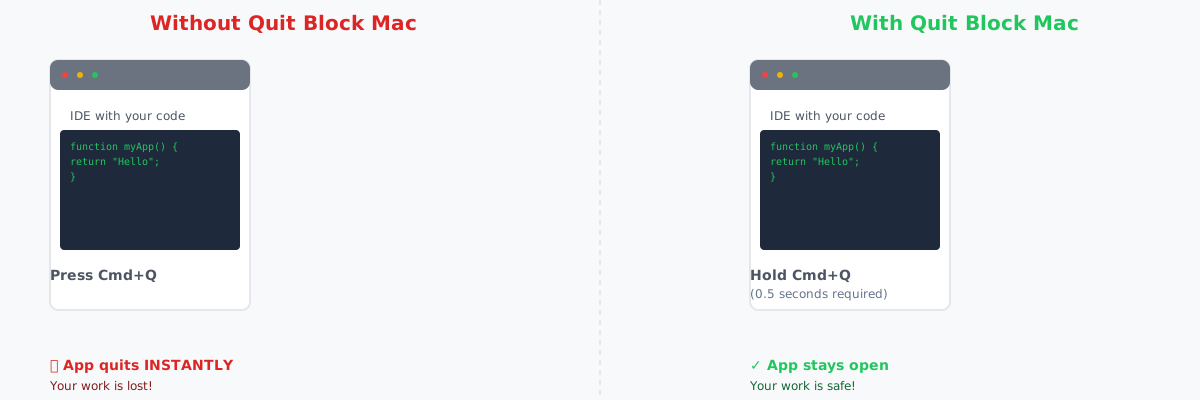
Your work stays safe. Accidental quits become impossible.
Trusted by Mac users worldwide
Works with All macOS Apps
Chrome, VS Code, Slack, Mail, Finder, and everything else.
Installation Time
Download, install, done. No setup. No configuration needed.
One-Time Purchase
$5 forever. Works on every Mac you own. No subscriptions.
The Problem
Cmd+Q is right there. Your muscle memory hits it constantly. One slip and your IDE closes. Your chat app vanishes. Your work is gone.
The Solution
Quit Block Mac changes how quitting works. Instead of instant termination, just hold Cmd+Q for 0.5 seconds to actually quit.
- Accidental quits are now impossible
- Takes 2 seconds to install
- Works with every app on your Mac
- No settings. No bloat. Just works.
What Happens After You Buy?
Complete Payment
Click "Buy Quit Block Mac — $5" and complete your secure payment via Stripe. Takes 30 seconds.
Get Download Link
Check your email for the download link. You'll also receive a receipt and license information.
Download DMG File
Download the Quit Block Mac .dmg installer file. It's about 5MB and works on macOS 10.13+.
Install in Seconds
Open the DMG, drag Quit Block Mac to Applications, and launch it. That's it! You're protected.
No setup needed. Quit Block Mac runs in the background and protects all your apps immediately.